Configuration Creation
Configuration
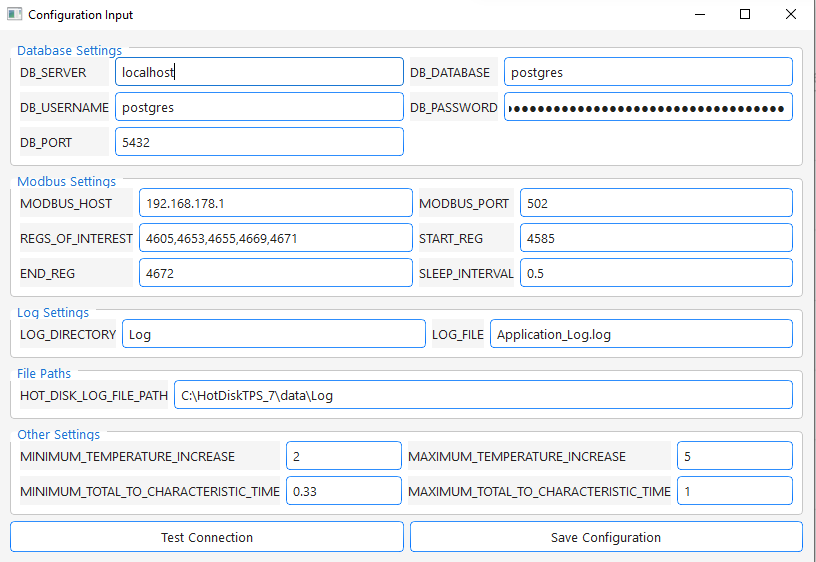
On first startup of Scripts/main.py or when clicking Config Settings on the view menu of the main window the configuration creator
opens:
-
Database Settings:
- All inputs here can be edited later in the main window by opening the config creator over the view menu.
- First enter your database credentials and password.
-
Modbus Settings:
- Modbus Host (IP address of your device) and Port are needed to connect to the device.
- REGS_OF_INTEREST (comma separated) are the registers the recorder will read from your device. They should (in this order !!) represent the following data columns:
# Register in example picture Column 1 4605 Pressure 2 4653 Sample Temperature 3 4655 Setpoint Sample Temperature 4 4669 Heater Temperature 5 4671 Setpoint Heater Temperature -
Note: For the Jumo DICON touch, data is stored in the selected register and the following register.
-
Conversion happens like: (See Code Block at bottom of the page)
-
Logging Settings
- Define a folder and file nam to store the application logs. The file name will be extended by date and time
-
Hot Disk Log File Folder
- The application tracks the Hot Disk Thermal Constants Analyzer log file folder to find exported thermal conductivity data as soon as its exported from the Thermal Constants Analyzer Standard folder path is given. Should be the same one for you. Otherwise look in your hotdisk installation where the logs are stored
-
Other Settings
- Enter limiting parameters for valid conductivity measurements. Given by Hot Disk user manual (Can be edited also while recording)
-
Test Connection and Save
- Click test connection. If no errors show up click save configuration.
-
Main Window
- After saving your configuration the necessary database tables should be created automatically and the main window should open"
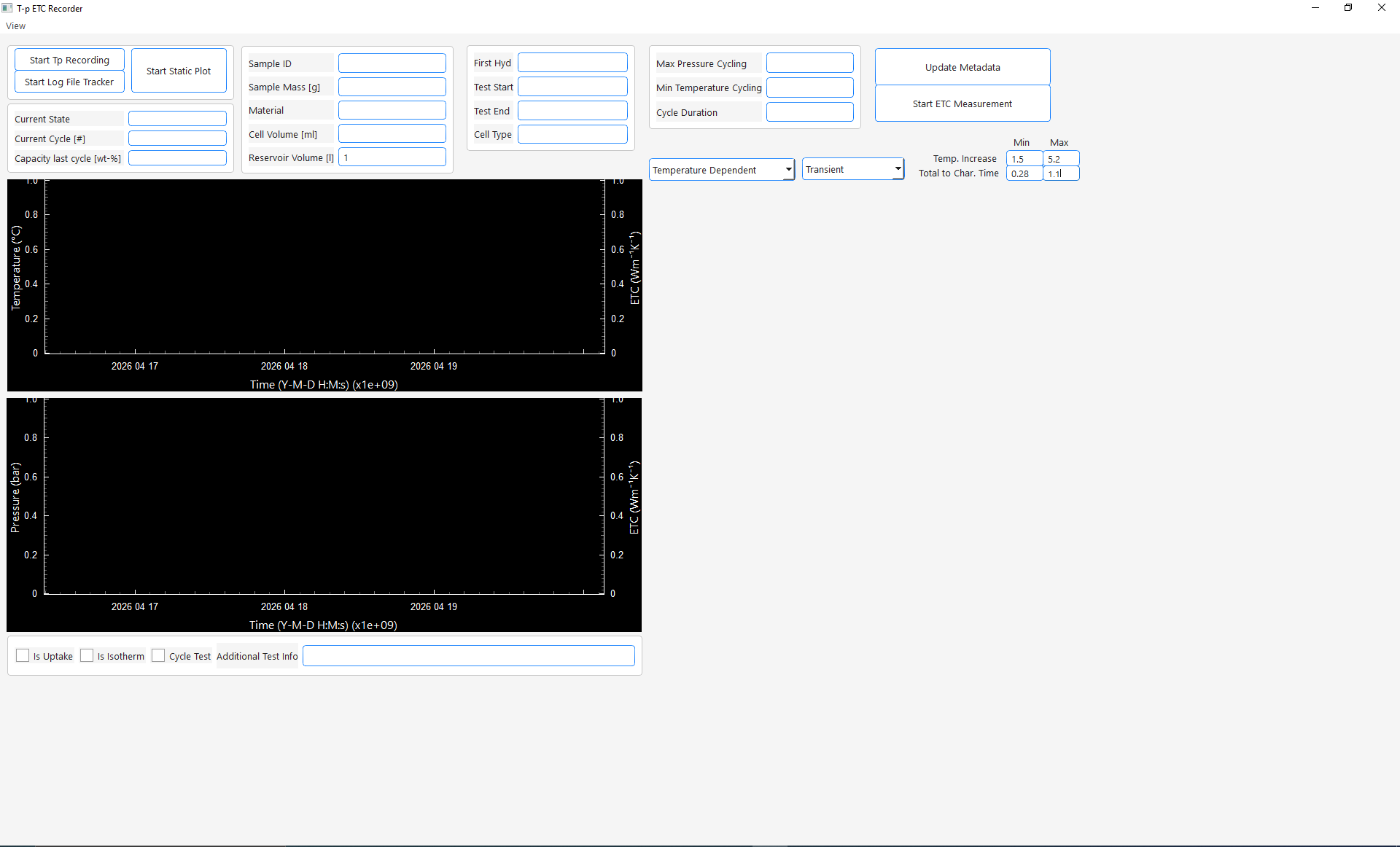
- Nice. Everything works.
- To start a test continue with Start New Test
- After saving your configuration the necessary database tables should be created automatically and the main window should open"
def _unpack_to_df(self, regs):
    values = []
    for i in range(0, len(regs), 2):
        raw = struct.pack('>HH', regs[i+1], regs[i])
        values.append(struct.unpack('>f', raw)[0])
    cols = [
        self.table.pressure,
        self.table.temperature_sample,
        self.table.setpoint_sample,
        self.table.temperature_heater,
        self.table.setpoint_heater
           ]